# This is the best text editor for Mac
{ .app-icon-center }

{ .text-center .lead }
At least, it's the one we wanted to use.
> **Is it actually the fastest?**
>
> **16.6 ms P95 typing latency** on a 753,821-line source file.
> **20 million lines** tested with syntax highlighting.
>
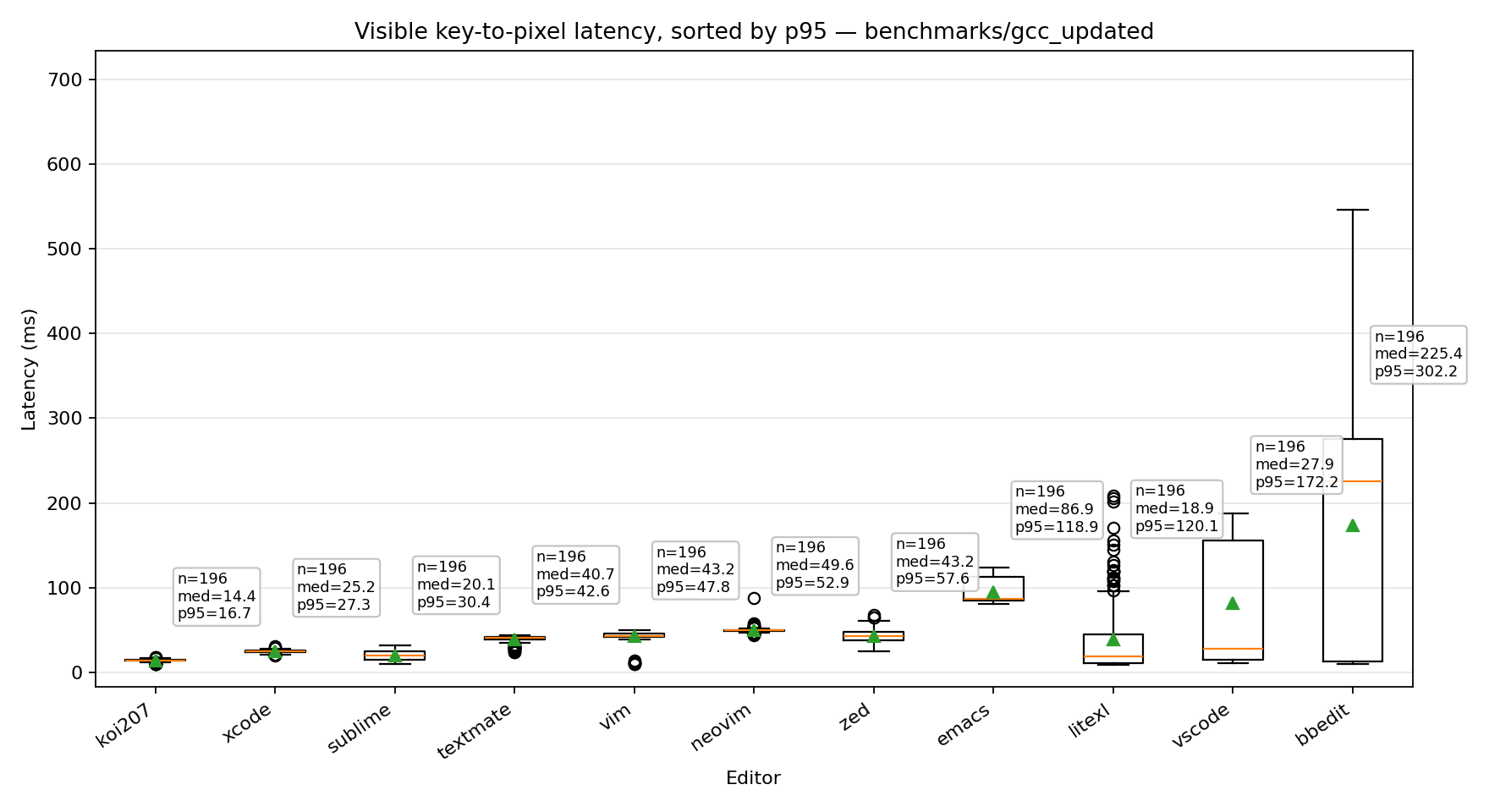
> Peeknext measured about **1.8x faster than Sublime Text**, **3.5x faster than Zed**, and **10.4x faster than VS Code** in this test.
**Koi has been renamed to Peeknext. Koi may still used in some graphs.**
{ .text-center .muted }
We tested the claim, too.
{ .text-center }
[See the Benchmarks →](/benchmarks/)
{ .text-center .muted .mt-5 }
All that performance in a beautifully crafted, minimal user interface.