Macのためのプロフェッショナルなテキストエディタ。

高速

小さなファイルから数百万行のファイルまで、快適に編集できます。

See the benchmarks →

ローカル

ファイル、設定、ツールを自分で管理できます。

スクリプト対応

Pythonとエディタコマンドで繰り返し作業を自動化できます。

peeknext.py
 22960   # EditorContainer : _on_tab_label_clicked
 22961   @func_trace
 22962  def _on_tab_label_clicked(self):
 22963       editor = ensure_not_deleted(self.main_editor.editor)
 22964      if editor is not None:
 22965           safe_focus(editor)
 22966  
 22967   # EditorContainer : _on_tab_label_toggle
 22968   @func_trace
 22969  def _on_tab_label_toggle(self):
 22970       window = ensure_not_deleted(self.window)
 22971      if window is None:
 22972           return
 22973  
 22974       buffer = self.buffer
 22975      if buffer is None:
 22976           return
 22977  
 22978       window.buffer_manager.toggle_active(buffer)
 22979  
 22980   # EditorContainer : _on_tab_label_exclusive
 22981   @func_trace
 22982  def _on_tab_label_exclusive(self):
 22983       window = ensure_not_deleted(self.window)
 22984      if window is None:
 22985           return
 22986  
 22987       buffer = self.buffer
 22988      if buffer is None:
 22989           return
 22990  
 22991       window.buffer_manager.set_as_active_tab(buffer)
 22992  
 22993   # EditorContainer : _file_changed
 22994   @func_trace
 22995  def _file_changed(self, *_): [97 lines folded]
 23093  
 23094   # EditorContainer : _do_after_file_changed
 23095   @func_trace
 23096  def _do_after_file_changed(self): [5 lines folded]
 10373       directory = os.path.dirname(path) or "."
 10374       tmp_path = None
 10375  
 10376       os.makedirs(directory, exist_ok=True)
 10377  
 10378       fd, tmp_path = tempfile.mkstemp(dir=directory, prefix=".tmp_")
 10379  
 10380      try:
 10381          with os.fdopen(fd, "w", encoding="utf-8") as f:
 10382               f.write(text)
 10383               f.flush()
 10384               os.fsync(f.fileno())
 10385  
 10386           os.replace(tmp_path, path)
 10387           tmp_path = None
 10388  
 10389      finally:
 10390          if tmp_path is not None:
 10391              try:
 10392                   os.remove(tmp_path)
 10393              except OSError:
 10394                   pass
 10395  
 10396   # CodeEditor : _save_file
 10397   # @func_trace
 10398  def _save_file(self): [113 lines folded]
 10512  
 10513   # CodeEditor : _save_shadow_file
 10514   @func_trace
 10515  def _save_shadow_file(self): [18 lines folded]
 10534  
 10535   # CodeEditor : save_file_as
 10536   @plugin_api
 10537   @command("Save file as...")
 10538  def save_file_as(self): [20 lines folded]
 10559  
 10560   # CodeEditor : save_file_copy_as
 10561   @plugin_api
 10562   @command("Save copy of file as...")
 10563  def save_file_copy_as(self): [20 lines folded]

~/Desktop/peeknext peeknext.py indexer.py todo.org Line 22,974, Column 29 Python

使い始める

必要な機能を最初から搭載。

Flexible Workspaces

柔軟なワークスペース

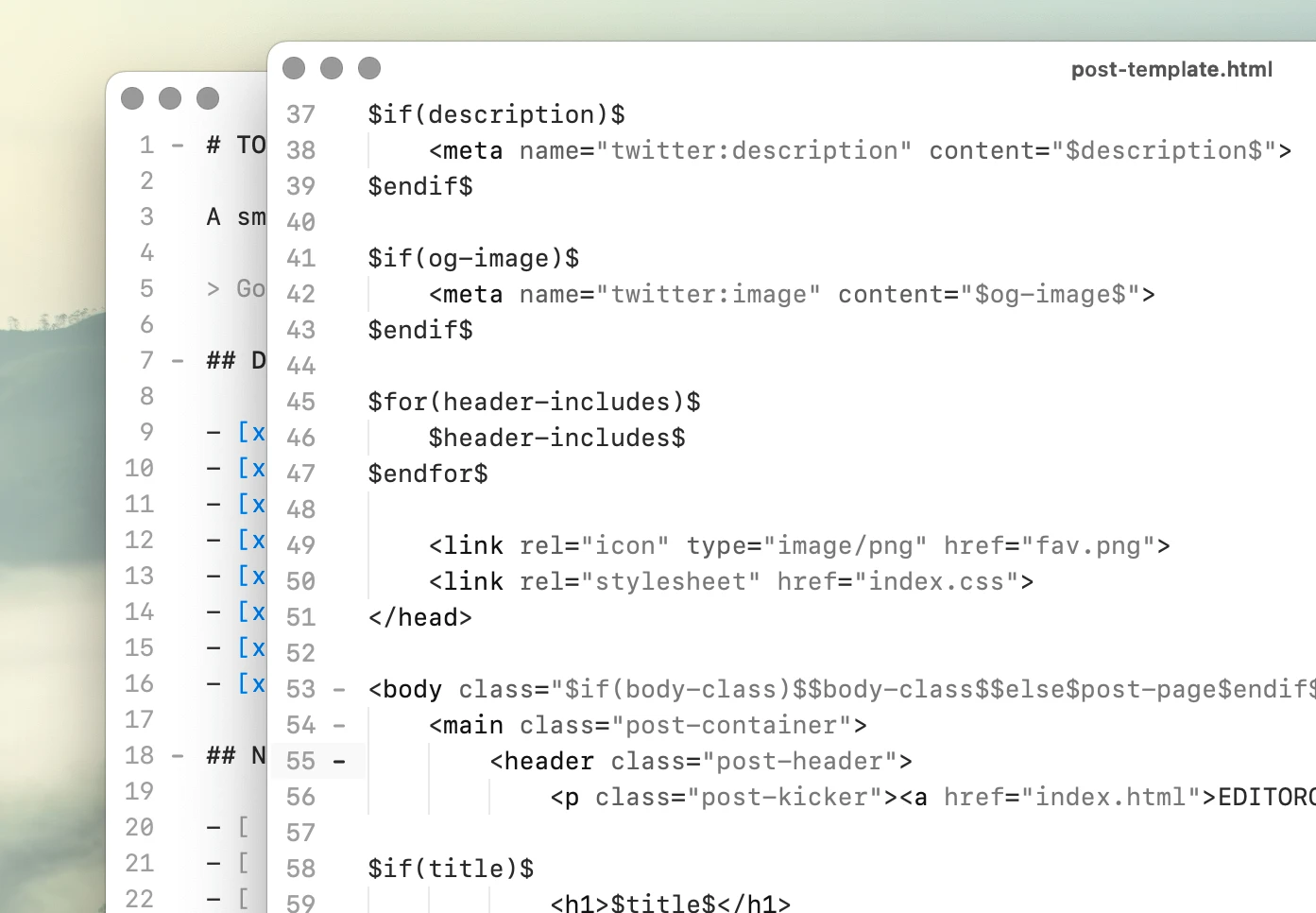
画面を分割したり、ウィンドウを切り離したりして、同じドキュメントを複数のビューで開けます。

Local-first AI

ローカルファーストAI

Ollamaに直接接続し、Mac上でコード補完とチャットをローカル実行できます。

Context-aware autocomplete

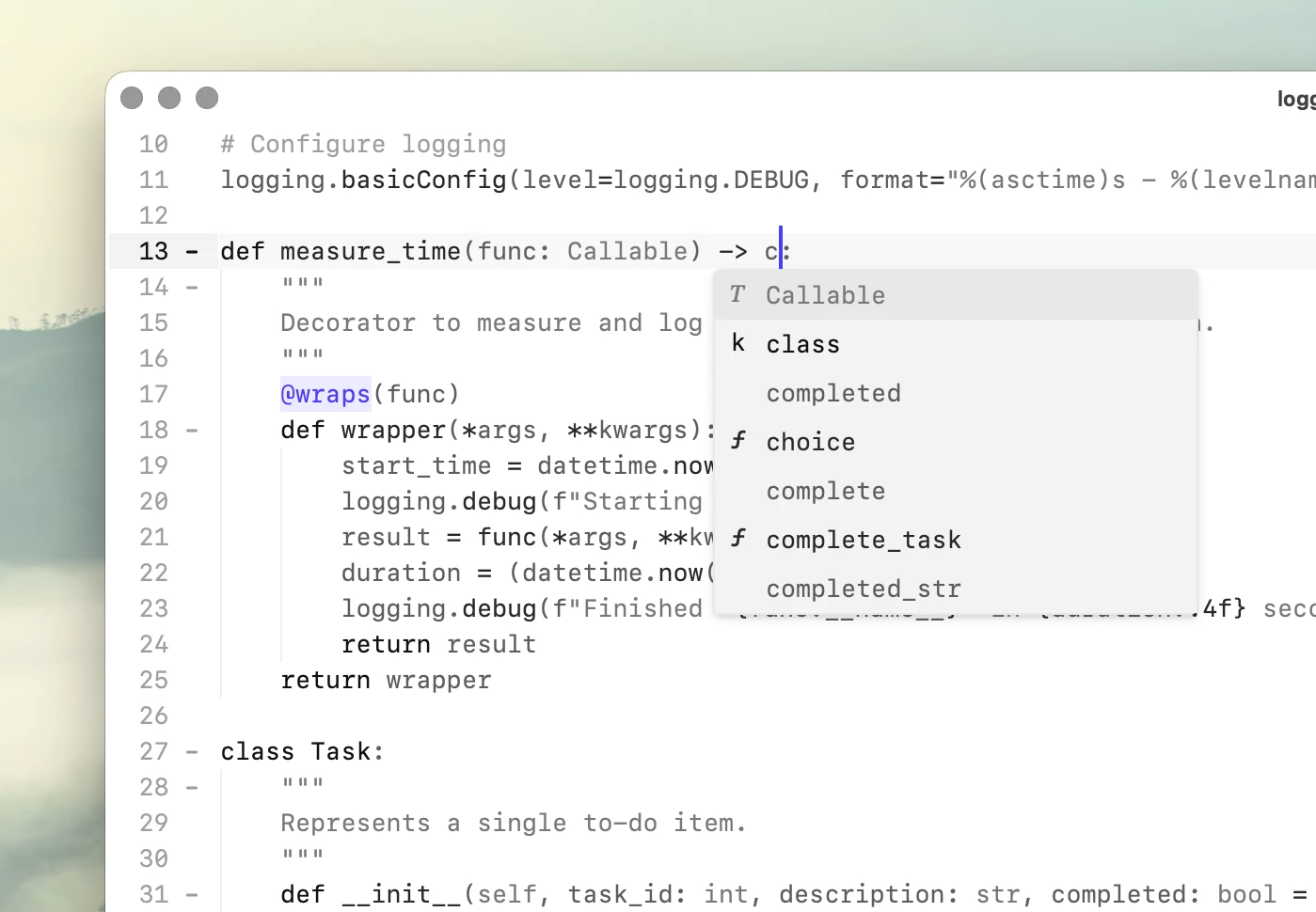
文脈に応じた自動補完

現在のファイル内の単語を、近くの文脈や使用状況に基づいて順位付けし、補完候補として表示します。

Pythonスクリプト

プラグインフレームワークを使わずにエディタコマンドを追加できます。⌘⇧Pで独自のコマンドを含むすべてのコマンドを表示できます。

インラインコマンド

⌘⇧⏎でドキュメントから直接コマンドを実行できます。シェルには%、チャットには>を使い、Pythonも直接評価できます。

設定はプレーンテキスト

設定とキーバインドは、読みやすく編集可能なテキストファイルで管理できます。

See default config file →

組み込みの言語サポート

30以上のプログラミング言語に標準対応。今後も追加予定です。

Roadmap →

すばやく検索

⌘Pでファイルに移動し、⌘⇧Fでプロジェクト全体を検索できます。

細部まで考えて作られたテキストエディタ。

高速

PeeknextはネイティブC++の編集コアを基盤とし、応答性を後付けの最適化ではなく、設計上の要件として重視しています。

ファイルが大きくなっても快適に編集できます。同じドキュメントの複数ビューは、単一のバッファを共有します。

実際のソースファイルで性能を測定し、再現可能なベンチマークを公開しています。

CLexer.cpp
  172   bool isFunctionLike = false;
  173  
  174   // keywords
  175  if (keywords.InList(s)) {
  176       sc.ChangeState(SCE_HACK_KEYWORD);
  177   }
  178   // types
  179  else if (types.InList(s)) {
  180       sc.ChangeState(SCE_HACK_TYPE);
  181   }
  182   // constants
  183  else if (constants.InList(s)) {
  184       sc.ChangeState(SCE_HACK_CONSTANT);
  185   }
  186   // builtins
  187  else if (builtins.InList(s)) {
  188       sc.ChangeState(SCE_HACK_BUILTIN);
  189   }
  190  else {
  191       const Sci_Position line = styler.GetLine(sc.currentPos);
  192       const Sci_PositionU lineEnd = styler.LineEnd(line);
  193       Sci_PositionU pos = sc.currentPos>;
  194  
  195      while (pos < lineEnd) {
  196           const unsigned char c = styler.SafeGetCharAt(pos);
  197          if (c == ' ' || c == '\t') {
  198               ++pos;
  199               continue;
  200           }
  201           isFunctionLike = (c == '(');
  202           break;
  203       }
  267   // enter new state
  268  
  269  if (sc.state == SCE_HACK_DEFAULT) {
  270       // numbers
  271      if (IsADigit(sc.ch) || (sc.ch == '.' && IsADigit(sc.chNext))) {
  272           sc.SetState(SCE_HACK_NUMBER);
  273       }
  274       // identifiers
  275      else if (!sc.atLineEnd && (setWordStart.Contains(sc.ch) || (sc.ch == '@'))) {
  276           sc.SetState(State_Identifier);
  277       }
  278       // block comment
  279      else if (sc.Match('/', '*')) {
  280           sc.SetState(State_BlockComment);
  281           sc.Forward();
  282       }
  283       // line comments
  284      else if (sc.Match('/', '/')) {
  285           sc.SetState(State_LineComment);
  286       }
  287       // strings
  288      else if (sc.ch == '\"') {
  289           sc.SetState(SCE_HACK_STRING);
  290           isIncludePreprocessor = false;
  291       }
  292       // includes
  293      else if (isIncludePreprocessor && sc.ch == '<') {
  294           sc.SetState(SCE_HACK_STRING);
  295       }
  296       // characters
  297      else if (sc.ch == '\'') {
  298           sc.SetState(State_Character);
~/hackerman/lexers CLexer.cpp clexer.sip Line 199, Column 22 C

極めて低い入力レイテンシ

753,821行のソースファイルでP95入力レイテンシは16.6 ms。比較対象のエディタの中で最速でした。

Benchmarks →

複数ビュー、ひとつのドキュメント

編集の応答性を損なわずに、同じドキュメントを複数のビューで操作できます。

Multiple views →

非常に大きなファイルにも対応

数百万行のファイルも、シンタックスハイライトを維持しながら滑らかに編集できます。

Large file performance →

主張ではなく、測定結果

16.6 ms

753,821行のソースファイルで測定したP95入力レイテンシ。

20M lines

シンタックスハイライトを有効にしてテストした最大ファイル。

698 MB

500万行のソースファイルでのメモリ使用量。

Benchmarks →

ローカル

コードを外部に送信せずに便利な機能を利用できます。Peeknextはローカルファイル、ローカルインデックス、ローカルモデルを直接使用します。

文脈に応じた自動補完は現在のファイルから生成され、言語サーバーは不要です。AI機能はOllama経由でローカル実行され、初期状態では無効です。

ファイルは自分のMacに保存され、オフラインでもすべての基本機能を使用できます。

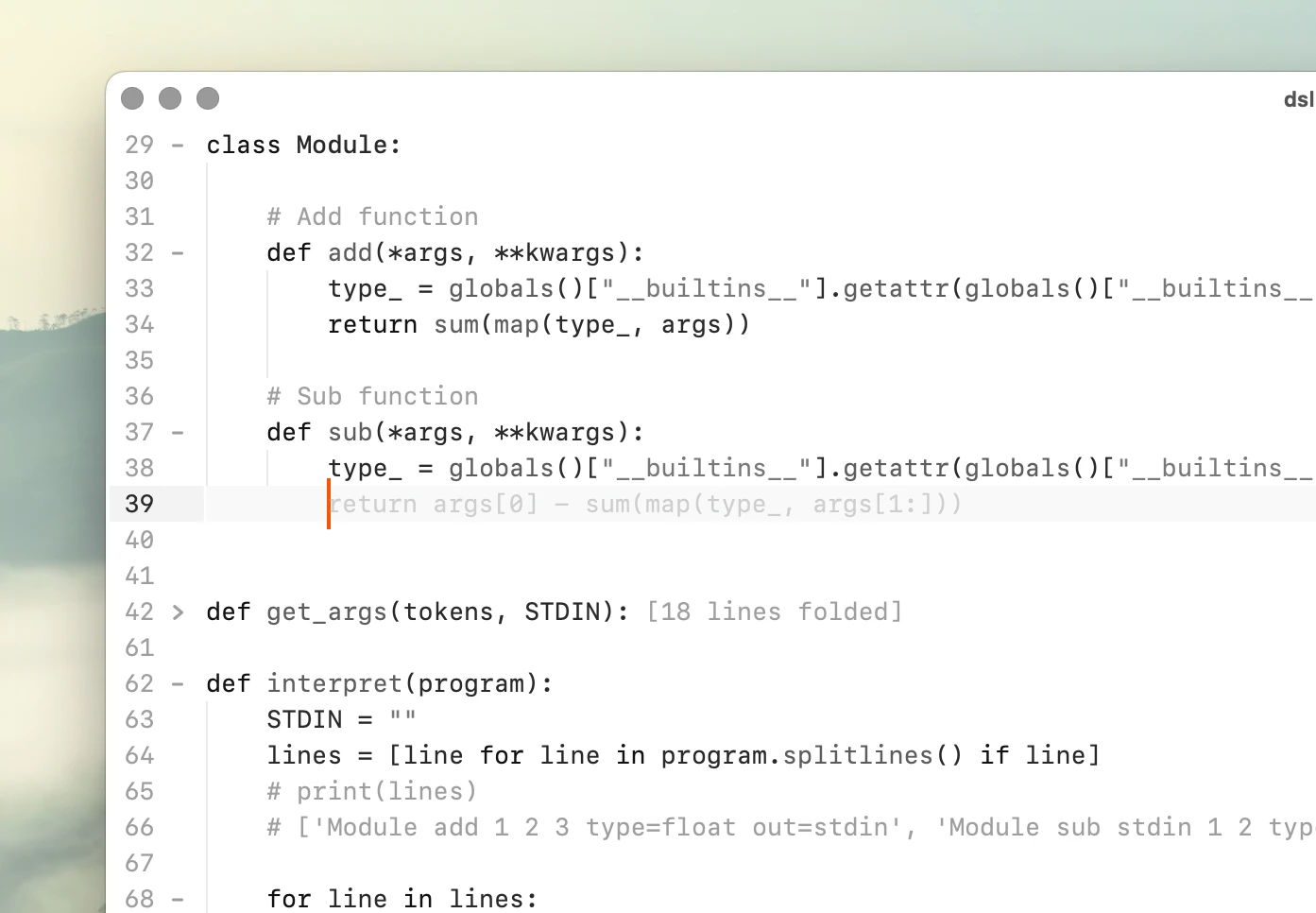
dsl.py
  15   types
  16       int
  17       float
  18   arguments
  19       out     : stdin to use previous output as input
  20               : stdout to print
  21   """
  22  
  23   program = """
  24   Module add 1 2 3 type=float out=stdin
  25   Module sub stdin 1 2 type=int out=stdout
  26   """
  27  
  28   # Module definition
  29  class Module:
  30  
  31       # Add function
  32      def add(*args, **kwargs):
  33           type_ = globals()["__builtins__"].getattr(globals()["__builtins__"], kwargs["type"])
  34           return sum(map(type_, args))
  35  
  36       # Sub function
  37      def sub(*args, **kwargs):
  38           type_ = globals()["__builtins__"].getattr(globals()["__builtins__"], kwargs["type"])
  39           return float(args[0]) if type_ == 'float' else int(args[0]) - sum(map(type_, args[1:]))
  40  
  41  def get_args(tokens, STDIN): [18 lines folded]
  60  
  61  def interpret(program): [25 lines folded]
  87  
  88   interpret(program) # 3
  89  
~/Desktop qwen2.5-coder:1.5b Line 34, Column 9 C

文脈に応じた自動補完

現在のファイルから単語を補完し、近くの文脈や使用状況に基づいて候補を並べます。

Context-aware autocomplete →

ローカルファーストAI

Ollamaを通じて自分のローカルモデルを使用し、インラインチャットとコード補完を実行できます。

Local AI →

テレメトリなし

アカウント、使用状況の追跡、アクセス解析はありません。Peeknextはローカルファイルだけで完全にオフライン動作します。

Privacy Policy →

プライバシーを重視した設計

テレメトリも追跡もありません。バックグラウンドでのダウンロードも、自動アップデーターもありません。

オフラインモードへの切り替えは不要です。

スクリプト対応

PeeknextはエディタコマンドをPythonに公開しています。繰り返し作業を、別のプラグインや外部ツールではなくエディタの機能にできます。

通常のPython関数をコマンドとして登録し、キーバインドを割り当て、組み込みコマンドと同じように使用できます。

インラインコマンドでも同じ考え方を採用。エディタを離れずにシェルコマンドの実行、Pythonの評価、AIの利用ができます。

Untitled
   1   % git log --oneline -5
   2   7e43c91 Fix stale index results after file changes
   3   20b9ad4 Add PHP symbols to file outline
   4   e3816fc Preserve cursor position when reopening files
   5   9ad0c72 Reduce allocations while indexing large files
   6   615bc84 Fix split view restoring the wrong document
   7  
   8   > Summarize these changes for the changelog.
   9  
  10   ## Editor
  11  
  12   - Added PHP symbols to the file outline.
  13   - Cursor position is now preserved when reopening files.
  14   - Fixed split views occasionally restoring the wrong document.
  15  
  16   ## Performance and reliability
  17  
  18   - Reduced memory allocations while indexing large files.
  19   - Fixed stale autocomplete results after files changed on disk.
  20  
  21   % screenfetch -N
  22  
  23                    -/+:.          michael@Michaels-Mac-mini
  24                   :++++.          OS: 64bit macOS  
  25                  /+++/.           Kernel: arm64 Darwin 24.6.0
  26          .:-::- .+/:-``.::-       Uptime: 2d 3h 24m
  27       .:/++++++/::::/++++++/:`    Packages: 76
  28     .:///////////////////////:`   Shell: zsh 5.9
  29     ////////////////////////`     Resolution: 3440x1440 
  30    -+++++++++++++++++++++++`      DE: Aqua
  31    /++++++++++++++++++++++/       WM: Quartz Compositor
  32    /sssssssssssssssssssssss.      WM Theme: Graphite (Dark)
   1  
   2   # This is the default scripts-file for Peeknext
   3  
   4   @command("Word count")
   5  def word_count():
   6       import re
   7  
   8       text = selected_text()
   9       count = len(re.findall(r"\b[\w'-]+\b", text))
  10  
  11       message (f"Word count: {count:,} words")
  12  
  13   @command("Insert UUID")
  14  def insert_uuid(): [2 lines folded]
  17  
  18   @command("Markdown: Selection to link")
  19  def insert_link(): [2 lines folded]
  22   
  23   @command("Markdown: Insert unchecked box")
  24  def insert_unchecked_box(): [1 lines folded]
  26   
  27   @command("Markdown: Wrap selection in fenced block")
  28  def fenced_block(): [2 lines folded]
  31  
  32   @command("Markdown: Bold")
  33  def make_bold():
  34       text = selected_text()
  35       insert_text(text=f"**{text}**")
  36  
  37   
  38   
  39   
~/peeknext _ .hackerman-scripts glm-5.3-flash:cloud Generic-Default

Pythonスクリプト

通常のPython関数でエディタコマンドを作成し、キーに割り当てたりコマンドパレットから実行したりできます。

Explore the API →

インラインコマンド

ドキュメント内から%でシェルコマンド、>でインラインチャットを実行し、Pythonも直接評価できます。

Shell and Python eval →

プレーンテキストの設定

設定、キーバインド、モデル、エディタの動作を、確認・編集・バージョン管理できるファイルで構成できます。

Documentation →

Peeknextを選ぶ理由

Zero-latency typing

Peeknext maintains a measured P95 typing latency of 17.86 ms while editing a 1 million-line Odin source file with syntax highlighting enabled.

Read more →

Local AI, on your Mac

Peeknext works directly with local Ollama models, with no account, telemetry, or cloud intermediary. Use local code completion and inline AI while keeping your code and inference on your Mac.

Read more →

Native macOS code editors

A look at code editors built specifically for macOS, from long-running editors like BBEdit and TextMate to newer alternatives like Nova, CodeEdit, and Peeknext.

Read more →

Plain text note taking

Keep notes as ordinary Markdown, plain text, Org Mode, or other files. Open directly into your notes folder, search with ripgrep, and organize everything without a proprietary database.

Read more →

ロードマップ

現在開発中の機能と今後の予定。

Changelog

Submit feature request →

Writer mode with focused interface

Variable fonts and wikilinks

File preview in file explorer

Faster search in very large files

One command palette for all dialogs

高速で正確なシンタックスハイライトを実現する、手作業で調整されたネイティブレクサー。

Code folding is syntax-aware, allowing for language-specific behavior.

Some languages have file outline support, enabling navigation through the code via symbols.

Asm

Bash

C

CSS

Clojure

C++

D

Diff

Elixir

Fortran

Gleam

Go

Haskell

HTML

Jai

Java

JavaScript

Julia

JSON

LaTeX

Lua

Makefile

Markdown

MATLAB

Mojo

Nim

OCaml

Odin

Org

Pascal

Perl

PHP

Python

R

Ruby

Rust

SQL

Swift

TOML

TypeScript

Typst

WAT

YAML

Zig

Built-in language support

高速で正確なシンタックスハイライトを実現する、手作業で調整されたネイティブレクサー。

Minimal syntax highlighting for better performance. The lexers are written in C++ and optimized for speed.

Code folding is syntax-aware, allowing for language-specific behavior.

Some languages have file outline support, enabling navigation through the code via symbols.

Asm

Bash

C

CSS

Clojure

C++

D

Diff

Elixir

Fortran

Gleam

Go

Haskell

HTML

Jai

Java

JavaScript

Julia

JSON

LaTeX

Lua

Makefile

Markdown

MATLAB

Mojo

Nim

OCaml

Odin

Org

Pascal

Perl

PHP

Python

R

Ruby

Rust

SQL

Swift

TOML

TypeScript

Typst

WAT

YAML

Zig

料金

非商用

Free

個人プロジェクト、学習、その他の非商用利用向け。

ダウンロード

Personal 早期購入特典

$195 $325

一回払いの永久ライセンス

1ユーザー(本人)

台数無制限

商用利用可

一度購入すれば、ずっと所有

Personalを購入

Teams

$795 /year

最大10ユーザー向け

1ライセンスにつき最大10ユーザー

ユーザーごとに台数無制限

商用利用可

有効期間は1年間

Teamsを購入

Business

$19,995 /year

ユーザー単位のライセンス管理は不要

ユーザー数無制限

ユーザーごとに台数無制限

限定的なカスタムビルドに対応

請求書払い

Businessを購入

ライセンスに関するFAQ

非商用利用は無料です。商用利用にはライセンスが必要です。

End User License Agreement

License recovery →

なぜライセンスを購入する必要がありますか?

Peeknextは非商用利用では無料です。仕事で使用する場合は商用ライセンスが必要です。ライセンス収入が開発を支えています。

非商用利用とは何ですか?

非商用利用には、学習、個人プロジェクト、趣味での利用、評価が含まれます。有償の仕事、会社の業務、クライアントワーク、その他の商用活動でPeeknextを使う場合は、商用ライセンスが必要です。

どのライセンスを選べばいいですか?

Personalライセンスは個人ユーザー1名向けです。Businessライセンスは組織や複数ユーザーでの利用向けです。

1人で仕事に使う場合 → Personal

1人で仕事に使う場合 → Personal

大きな組織を1つのライセンスでカバーする場合 → Business

Personalライセンスを仕事で使えますか?

はい。ソフトウェアを使用するのがご本人だけであれば、Personalライセンスを商用の仕事に使えます。複数ユーザーで利用する場合は、組織向けライセンスを選んでください。

ライセンスファイルを紛失しました。再取得できますか?

購入後に表示されたSession IDを使い、ライセンス復旧ページからファイルを再取得できます。

復旧のお手伝いもできます。hello@hackerman.aiにメールし、購入に関する情報(メールアドレス、氏名、会社名、おおよその購入日時など)をお知らせください。

チームからの最新情報

Koi is now Peeknext

Koi Editor and Hackerman are now Peeknext, with a shared name and visual identity.

Read more →

Debugging race condition that was actually a lifetime bug

A random QThread crash looked like a race condition, but turned out to be an orphaned editor buffer and delayed garbage collection.

Read more →

Next steps for navigation

Rethinking editor navigation around lightweight histories, on-demand search, and local structure.

Read more →

Peeknext App Icon

自分のコードでPeeknextを試そう。

非商用利用は無料。Apple Silicon搭載MacとmacOSが必要です。